Vue3开发海康监控直播组件
使用Vue作为前端播放监控直播视频RTSP流,大体需要的工具介绍已经开发过程,1、SpringBoot对RTSP直播流转码,2、用MediaMTX转码直接用vue播放webRTC协议的直播
·
首先需要知道海康监控的rtsp直播流地址,比如:
rtsp://admin:123456@192.168.1.1:554/Streaming/Channels/101
1、自己开发HLS协议的转码工具(实测延迟5-30秒,取决于系统性能)
原理是java将rtsp视频实时流转码到本地存储为m3u8+ts分片文件(自动滚动,过期的自己删除并实时更新m3u8文件保证其能读取到新的ts文件),然后在转码完成生成视频文件后前端读取并播放视频,延迟就是因为需要将rtsp视频流转码到磁盘中再传输到前端的过程。
1、SpringBoot中添加一个工具类,用于给RTSP转码和回调播放地址
1.1、入口Controller类,StreamController
import com.common.core.util.R;
import com.gongdi.utils.FFmpegServerUtil;
import lombok.RequiredArgsConstructor;
import org.springframework.beans.factory.annotation.Value;
import org.springframework.core.io.Resource;
import org.springframework.core.io.UrlResource;
import org.springframework.http.HttpHeaders;
import org.springframework.http.MediaType;
import org.springframework.http.ResponseEntity;
import org.springframework.web.bind.annotation.*;

import java.io.File;
import java.io.IOException;
import java.nio.file.Path;
import java.nio.file.Paths;

@RestController
@RequestMapping("/video/stream")
@RequiredArgsConstructor
public class StreamController {

	private final FFmpegServerUtil ffmpegService;
	private String outputDirectory="D:/root/file/hls";

	/**
	 * 开始流转换
	 */
	@PostMapping("/start")
	public R startStreaming(@RequestParam String rtspUrl, @RequestParam String streamId) {
		try {
			ffmpegService.startStreaming(rtspUrl, streamId);
			// 通知前端HLS流地址
			String hlsUrl = File.separator+"video"+File.separator+"stream"+File.separator+"hls"+File.separator + streamId + File.separator+"stream.m3u8";
			return R.ok(hlsUrl);
		} catch (Exception e) {
			return R.failed("Error starting stream: " + e.getMessage());
		}
	}
	/**
	 * 停止一个流转换
	 */
	@PostMapping("/stop")
	public R stopStreaming(@RequestParam String streamId) {
		try {
			ffmpegService.stopStreaming(streamId);

			return R.ok("Stream stopped");
		} catch (Exception e) {
			return R.failed("Error stopping stream: " + e.getMessage());
		}
	}
	/**
	 * 停止所有流转换
	 */
	@PostMapping("/stop-all")
	public R stopAllStreams() {
		try {
			ffmpegService.stopAllStreams();
			return R.ok("All streams stopped");
		} catch (Exception e) {
			return R.failed("Error stopping streams: " + e.getMessage());
		}
	}
	/**
	 * 预览文件流
	 */
	@GetMapping("/hls/{streamId}/{filename:.+}")
	public ResponseEntity<Resource> streamVideo(
			@PathVariable String streamId,
			@PathVariable String filename) throws Exception {

		Path filePath = Paths.get(outputDirectory, streamId, filename);
		Resource resource = new UrlResource(filePath.toUri());

		if (!resource.exists()) {
			return ResponseEntity.notFound().build();
		}
		String fileSuffix=filename.substring(filename.lastIndexOf(".")+1);
		if("m3u8".equals(fileSuffix)) {
			return ResponseEntity.ok()
					.contentType(MediaType.parseMediaType("application/vnd.apple.mpegurl"))
					.header(HttpHeaders.CONTENT_DISPOSITION,
							"inline; filename=\"" + resource.getFilename() + "\"")
					.body(resource);
		}else if("ts".equals(fileSuffix)){
			return ResponseEntity.ok()
					.contentType(MediaType.APPLICATION_OCTET_STREAM)
					.header(HttpHeaders.CONTENT_DISPOSITION,
							"inline; filename=\"" + resource.getFilename() + "\"")
					.body(resource);
		}else{
			return ResponseEntity.notFound().build();
		}
	}
}
1.2、Util工具类,FFmpegServerUtil
import lombok.extern.slf4j.Slf4j;
import org.apache.commons.io.FileUtils;
import org.bytedeco.ffmpeg.global.avcodec;
import org.bytedeco.ffmpeg.global.avutil;
import org.bytedeco.javacv.FFmpegFrameGrabber;
import org.springframework.scheduling.annotation.Async;
import org.springframework.stereotype.Component;

import java.io.File;
import java.nio.file.Files;
import java.nio.file.Paths;
import java.util.concurrent.CompletableFuture;
import java.util.concurrent.ConcurrentHashMap;
import java.util.concurrent.TimeUnit;
import java.util.concurrent.TimeoutException;
import java.util.concurrent.atomic.AtomicBoolean;
import org.bytedeco.javacv.FFmpegFrameRecorder;
import org.bytedeco.javacv.Frame;
import org.springframework.beans.factory.annotation.Value;

import java.io.IOException;

@Component
@Slf4j
public class FFmpegServerUtil {
	private String outputDirectory="D:/root/file/hls";

	private FFmpegFrameGrabber grabber;
	private FFmpegFrameRecorder recorder;
	private final ConcurrentHashMap<String, StreamContext> activeStreams = new ConcurrentHashMap<>();
	// 流上下文类,封装流相关资源
	private static class StreamContext {
		FFmpegFrameGrabber grabber;
		FFmpegFrameRecorder recorder;
		AtomicBoolean running;
		Thread workerThread;
		String streamId;

		public StreamContext(String streamId) {
			this.streamId = streamId;
			this.running = new AtomicBoolean(false);
		}
	}
    /**
	 * 用线程池启动,防止主线程被卡死
	 */
	@Async("threadPoolTaskExecutor")
	public void startStreaming(String rtspUrl, String streamId) throws IOException {
		// 检查是否已有相同streamId的流在运行
		if (activeStreams.containsKey(streamId)) {
			throw new IllegalStateException("Stream with ID " + streamId + " is already running");
		}
		avutil.av_log_set_level(avutil.AV_LOG_ERROR); // 只显示ERROR及以上级别
		//avutil.av_log_set_level(avutil.AV_LOG_VERBOSE); // 只显示ERROR及以上级别
		StreamContext context = new StreamContext(streamId);
		context.workerThread = Thread.currentThread(); // 绑定当前线程
		activeStreams.put(streamId, context);

		try {
			String outputPath = outputDirectory + File.separator + streamId;
			Files.createDirectories(Paths.get(outputPath));

			context.grabber = new FFmpegFrameGrabber(rtspUrl);
			context.grabber.setOption("rtsp_transport", "tcp");
			context.grabber.setOption("stimeout", "5000000"); // 5秒超时
			context.grabber.setOption("buffer_size", "1024000"); // 增加缓冲区
			// 先启动grabber获取实际参数
			try {
				context.grabber.start();
				// 等待海康流就绪,获取有效宽高
				int maxWaitMs = 10000; // 最大等待10秒
				int intervalMs = 500;  // 每500ms检查一次
				int waitedMs = 0;
				int width = 0, height = 0;
				while (waitedMs < maxWaitMs) {
					width = context.grabber.getImageWidth();
					height = context.grabber.getImageHeight();
					if (width > 0 && height > 0) {
						break; // 宽高有效,退出等待
					}
					Thread.sleep(intervalMs);
					waitedMs += intervalMs;
					log.info("等待海康流就绪... 已等待{}ms", waitedMs);
				}
				if (width <= 0 || height <= 0) {
					throw new IOException("海康流初始化超时,无法获取有效视频尺寸: " + width + "x" + height);
				}
				double frameRate = context.grabber.getVideoFrameRate();

				if (width <= 0 || height <= 0) {
					throw new IOException("无法获取有效的视频尺寸: " + width + "x" + height);
				}

				// 初始化recorder使用实际参数
				context.recorder = new FFmpegFrameRecorder(
						outputPath + File.separator + "stream.m3u8",
						width,
						height,
						context.grabber.getAudioChannels()
				);

				context.recorder.setFormat("hls");
				context.recorder.setVideoCodec(avcodec.AV_CODEC_ID_H264);
				context.recorder.setFrameRate(frameRate > 0 ? frameRate : 25); // 默认25fps
				context.recorder.setVideoBitrate(512 * 1024);

				// 关键HLS参数
				// 替换原hls_flags配置,添加split_by_time强制按时间切割
				context.recorder.setOption("hls_flags", "delete_segments+split_by_time");//强制按 hls_time 指定的时间(秒)切割 TS 片段,忽略关键帧位置
				//context.recorder.setOption("hls_flags", "delete_segments");//自动删除超出 hls_list_size 限制的旧 TS 片段
				//context.recorder.setOption("hls_flags", "delete_segments+append_list"); // 自动删除旧片段,更新 m3u8 时在文件末尾追加新片段,而非覆盖整个文件
				// 明确片段类型为MPEG-TS
				context.recorder.setOption("hls_segment_type", "mpegts");
				// 确保hls_time生效(单位:秒)
				context.recorder.setOption("hls_time", "1");
				// 片段最大大小限制(可选,防止单个片段过大)
				context.recorder.setOption("hls_max_segment_size", "2048000"); // 2MB
				context.recorder.setOption("hls_list_size", "2");
				//context.recorder.setOption("hls_flags", "delete_segments");

				// 海康专用优化参数
				context.recorder.setVideoOption("preset", "ultrafast");
				context.recorder.setVideoOption("tune", "zerolatency");

				try {
					context.recorder.start();
					log.info("录制器启动成功,宽高: {}x{}", width, height);
					context.running.set(true);
				} catch (FFmpegFrameRecorder.Exception e) {
					// 详细日志,定位启动失败原因
					log.error("录制器启动失败!宽高: {}x{},编码器: {}", width, height, context.recorder.getVideoCodec(), e);
					throw new IOException("录制器初始化失败", e);
				}
			} catch (Exception e) {
				log.error("初始化失败", e);
				throw e;
			}

			log.info("Stream {} started", streamId);

			// 主循环
			Frame frame;
			double lastFrameTime = 0;
			while (context.running.get() && !Thread.interrupted()) {
				try {
					frame = context.grabber.grab();
					if (frame != null) {
						if (frame.timestamp > 0) {
							double currentFrameTime = frame.timestamp;
							if (lastFrameTime > 0) {
								double frameInterval = currentFrameTime - lastFrameTime;
								// 如果帧间隔变化超过阈值,调整录制器帧率
								if (Math.abs(frameInterval - 1 / context.recorder.getFrameRate()) > 0.01) {
									context.recorder.setFrameRate(1 / frameInterval);
								}
							}
							lastFrameTime = currentFrameTime;
						}
						context.recorder.record(frame);
					}
				}catch (Exception e) {
					log.error("Frame grab error, attempting to reconnect...", e);
					try {
						// 尝试重新连接
						reconnect(context, rtspUrl);

						// 重新连接成功后,可能需要跳过几帧以避免问题
						for (int i = 0; i < 5 && context.running.get(); i++) {
							try {
								frame = context.grabber.grab();
							} catch (Exception ex) {
								// 忽略前几帧可能的问题
							}
						}
					} catch (Exception reconnectEx) {
						log.error("Reconnect failed for stream {}", streamId, reconnectEx);
						// 如果重连失败,退出循环
						break;
					}
				}
			}
		} catch (Exception e) {
			log.error("Error in streaming for stream {}", streamId, e);
			if (!Thread.interrupted()) { // 非主动中断的异常
				log.error("Stream error", e);
			}
		} finally {
			stopStreaming(streamId);
		}
	}
	private void reconnect(StreamContext context, String rtspUrl) throws Exception {
		int maxRetries = 3;
		int retryDelay = 2000; // 2秒

		for (int i = 0; i < maxRetries; i++) {
			try {
				if (context.grabber != null) {
					context.grabber.restart();
					return;
				} else {
					context.grabber = new FFmpegFrameGrabber(rtspUrl);
					// 重新设置所有参数...
					context.grabber.start();
					return;
				}
			} catch (Exception e) {
				if (i == maxRetries - 1) throw e;
				Thread.sleep(retryDelay);
			}
		}
	}
	/**
	 * 停止转码
	 */
	public void stopStreaming(String streamId){
		StreamContext context = activeStreams.get(streamId);
		try {
			if (context == null || !context.running.getAndSet(false)) {
				return;
			}
			log.info("Stopping stream {}", streamId);

			// 1. 中断工作线程
			if (context.workerThread != null) {
				context.workerThread.interrupt(); // 发送中断信号
			}

			// 2. 关闭FFmpeg资源(带超时)
			CompletableFuture<Void> closeTask = CompletableFuture.runAsync(() -> {
				try {
					if (context.recorder != null) {
						context.recorder.close();
					}
					if (context.grabber != null) {
						context.grabber.close();
					}
				} catch (Exception e) {
					log.error("Close error", e);
				}
			});

			// 设置超时防止死锁
			closeTask.get(5, TimeUnit.SECONDS);

		} catch (TimeoutException e) {
			log.warn("Force closing stream {}", streamId);
			try {
				// 强制释放资源
				if (context.recorder != null) {
					context.recorder.stop();
				}
			}catch (FFmpegFrameRecorder.Exception e2){
				log.error("Stop error,FFmpegFrameRecorder.Exception:", e);
			}
		} catch (Exception e) {
			log.error("Stop error", e);
		} finally {
			activeStreams.remove(streamId);
			try {
				//清理残存文件
				String outputPath = outputDirectory + File.separator + streamId;
				FileUtils.deleteDirectory(new File(outputPath));
			}catch (Exception e) {}
			log.info("Stream {} fully stopped", streamId);
		}
	}

	public void stopAllStreams() {
		activeStreams.keySet().forEach(this::stopStreaming);
	}

	public boolean isStreaming(String streamId) {
		StreamContext context = activeStreams.get(streamId);
		return context != null && context.running.get();
	}
}
2、前端Vue组件代码
2.1、组件HlsVideoPlayer.vue
<template>
  <div style="overflow: auto;">
    <div style="min-width: 290px;min-height:240px;padding:2px;background:white;">
      <div v-if="remaingTime.value>0">视频转码中....{{remaingTime}}秒后开始播放</div>
      <div v-loading="loading" style="position: relative;min-height:240px;display:flex;align-items:center;justify-content:center;"
           @mouseenter="hoverVal=true"
           @mouseleave ="hoverVal=false">
        <video
            ref="videoElement"
            :controls="false"
            autoplay
            muted
            class="video-element"
            @play="startPlay"
            style="width:100%;min-width:250px;max-height:400px;background-color:#000;"
        ></video>
        <el-icon title="开始播放" v-show="!isPlaying && hoverVal" class="hidden-btn play" @click="startStream">
          <VideoPlay />
        </el-icon>
        <el-icon title="停止播放" v-show="isPlaying && hoverVal" class="hidden-btn stop" @click="stopStream">
          <svg t="1754062707162" class="icon" viewBox="0 0 1024 1024" version="1.1" xmlns="http://www.w3.org/2000/svg" p-id="5070" width="128" height="128"><path d="M512 938.688A426.688 426.688 0 1 1 512 85.376a426.688 426.688 0 0 1 0 853.312zM384 384v256h256V384H384z" fill="#909399" p-id="5071"></path></svg>
        </el-icon>
        <el-icon title="刷新" v-show="isPlaying && hoverVal" class="hidden-btn refresh" @click="pollm3u8">
          <Refresh />
        </el-icon>

      </div>
    </div>
  </div>
</template>

<script setup>
import Hls from 'hls.js';
import request from "/src/utils/request"
import other from "/src/utils/other";
import { Session } from '/src/utils/storage';
import {watch} from "vue";
const loading=ref(false);
const remaingTime=ref(10);
const props = defineProps({
  rtspUrl: String,//rtsp://localhost:8554/stream
  streamId:String,//stream1
  inPlay:Boolean,
});
const isPlaying=ref(false);
const hoverVal=ref(false);
const videoElement = ref(null);
let hls = null;
watch(
    () => props.inPlay,
    (val) => {
      if(val==false){
        stopStream();
      }
    },
    {
      deep: true,
    }
);
//重新加载m3u8文件
const pollm3u8=()=>{
  if (hls) {
    let originUrl="/gongdi/video/stream/hls/"+props.streamId+"/stream.m3u8";
    let baseURL=import.meta.env.VITE_API_URL;
    let url=baseURL + other.adaptationUrl(originUrl);
    hls.loadSource(url+ '?t=' + Date.now()); // 加时间戳避免缓存
  }
}
//开始转码并播放
const startStream = async () => {
  try {
    loading.value=true;
    await request({
      url: '/gongdi/video/stream/start',
      method: 'post',
      params: {
        rtspUrl:props.rtspUrl,
        streamId: props.streamId
      }
    })
    let originUrl="/gongdi/video/stream/hls/"+props.streamId+"/stream.m3u8";
    let baseURL=import.meta.env.VITE_API_URL;
    let url=baseURL + other.adaptationUrl(originUrl);
    remaingTime.value=9;
    let interval1=setInterval(()=>{
      remaingTime.value--;
      if(remaingTime.value<=3){
        initializeHlsPlayer(url);
        loading.value=false;
      }
      if(remaingTime.value<=0){
        isPlaying.value=true;
        clearInterval(interval1);
      }
    },1000)
    console.log('Stream started');
  } catch (error) {
    console.error('Error starting stream:', error);
  }
};
//停止转码,并清理播放器和后台文件
const stopStream = async () => {
  try {
    const response=await request({
      url: '/gongdi/video/stream/stop',
      method: 'post',
      params: {
        streamId: props.streamId
      }
    })
    console.log('Stream stopped:', response.data);
    destroyHlsPlayer();
  } catch (error) {
    console.error('Error stopping stream:', error);
  }
};

//初始化播放器
const initializeHlsPlayer = (url) => {
  if (Hls.isSupported()) {
    if(!hls){
      hls = new Hls({
        maxBufferLength: 1, // 最大缓冲时长(秒)
        maxMaxBufferLength: 5, // 极限缓冲时长
        startLevel: -1, // 从最低清晰度开始(快速起播)
        lowLatencyMode: true, // 启用低延迟模式
        enableWorker: true,
        liveSyncDurationCount: 2,              // 保留最近分片数
        liveMaxLatencyDurationCount: 3,       // 最大允许延迟的分片数
        maxBufferSize: 60 * 1000 * 1000,      // 最大缓冲大小(60MB)
        xhrSetup: function(xhr, url) {
          // 添加认证Token到请求头
          const token = Session.getToken();
          if (token) {
            xhr.setRequestHeader('Authorization', `Bearer ${token}`);
          }
        }
      });
      hls.loadSource(url);
      hls.attachMedia(videoElement.value);
      hls.on(Hls.Events.MANIFEST_PARSED, () => {
        videoElement.value.play().catch(e => {
          console.error('Auto-play failed:', e);
        });
      });
    }
  } else if (videoElement.value.canPlayType('application/vnd.apple.mpegurl')) {
    // For Safari
    videoElement.value.src = url;
    videoElement.value.addEventListener('loadedmetadata', () => {
      videoElement.value.play().catch(e => {
        console.error('Auto-play failed:', e);
      });
    });
  }
};
// 1. 停止播放并销毁HLS实例
const destroyHlsPlayer = () => {
  if (hls) {
    // 先暂停视频
    if (videoElement.value) {
      videoElement.value.pause();
      videoElement.value.removeAttribute('src'); // 清除视频源
      videoElement.value.load(); // 触发重置
    }
    // 销毁HLS实例
    hls.destroy();
    hls = null; // 设置为null很重要!
  }
  isPlaying.value=false;
};
const startPlay=()=>{
  setTimeout(()=>{
    videoElement.value.muted=false;
    console.log('解除静音')
  },1000)
}
const interval=ref(null);

onUnmounted(()=>{
  if(interval.value){
    //clearInterval(interval.value);
  }
});
</script>

<style scoped>
.hidden-btn.play{
  cursor:pointer;
  position:absolute;
  top:calc(50% - 20px);
  left:calc(50% - 20px);
  font-size: 40px;
  background: white;
  border-radius: 50%;
}
.hidden-btn.stop{
  cursor:pointer;position:absolute;
  top:calc(50% - 15px);
  left:calc(50% - 25px);
  font-size: 40px;
  background: white;
  border-radius: 50%;
}
.hidden-btn.refresh{
  cursor:pointer;position:absolute;
  top:calc(50% - 15px);
  left:calc(50% + 25px);
  font-size: 36px;
  background: white;
  border-radius: 50%;
}
</style>
2.2、组件的使用
父组件中引入子组件
<template>
  <div class="app-container">
    <el-row>
      <el-col><el-button @click="stopAllStream">停止所有播放器</el-button></el-col>
    </el-row>
    <el-row>
      <el-col :span="8" v-for="(item,index) in videos">
        <video-player :rtsp-url="item.rtspUrl" :stream-id="item.streamId" :in-play="inPlay" />
      </el-col>
    </el-row>
  </div>
</template>

<script setup>
import VideoPlayer from '/src/components/VideoPlayer/HlsVideoPlayer.vue';
import request from "/@/utils/request";
const inPlay=ref(true);
const videos=ref([
  {rtspUrl:'rtsp://admin:123456@192.168.11.1:554/Streaming/Channels/101',streamId:'stream1'},
])

//停止转码,并清理播放器和后台文件
const stopAllStream = async () => {
  try {
    const response=await request({
      url: '/gongdi/video/stream/stop-all',
      method: 'post',
      params: {
      }
    })
    console.log('Stream stopped:', response.data);
    inPlay.value=false;
  } catch (error) {
    console.error('Error stopping stream:', error);
  }
};
</script>

<style>
.app-container {
  height: 100vh;
  display: flex;
  flex-direction: column;
}
</style>
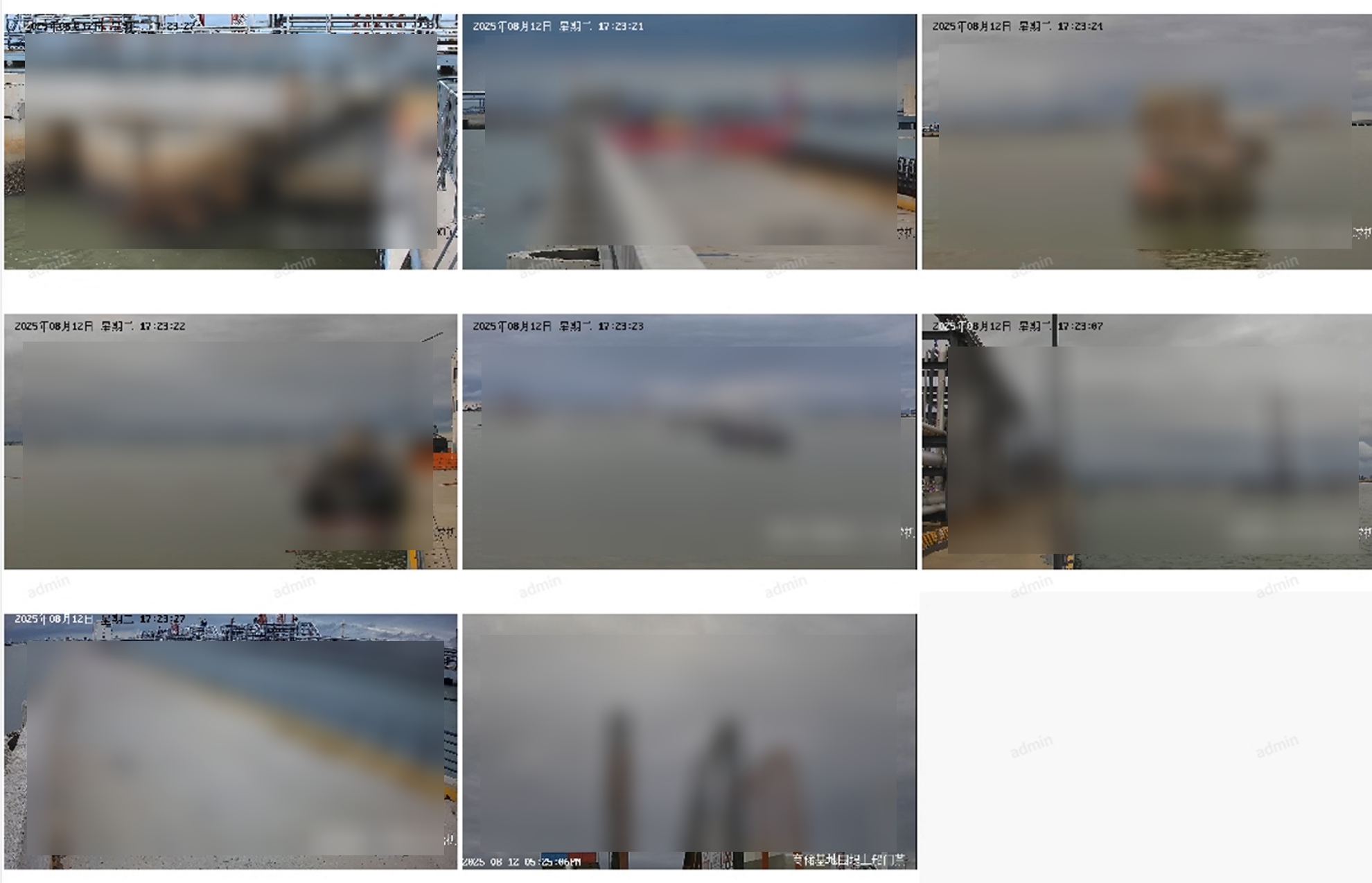
该组件呈现页面是这样的:
2、借助三方工具对Rtsp进行转码(实测基本0延迟)
1、借助三方工具Mediamtx,无论是windows系统还是Linux系统,都支持此工具。
1、配置Mediamtx
其中source指的是海康rtps流地址格式,admin是用户名,123456是密码
#原来的配置最底下的paths部分代码:
paths:
  all_others:

#修改为:

paths:
  stream51:
    source: rtsp://admin:123456@192.168.11.1:554/Streaming/Channels/101
    sourceProtocol: tcp
    sourceOnDemand: true

#其中stream51是自定义的名称
2、启动mediamtx
启动后会自动对直播画面进行转码保持
2、配置Nginx,转发前端请求,防止跨域
需要匹配更具体的webrtc路径,将请求转发到Mediamtx,防止跨域问题,其次再加入其他/api相关的其他接口,保证这个优先被过滤。
# 1. 首先匹配更具体的 /api/webrtc/ 路径
location ^~/api/webrtc/ {
	proxy_pass http://localhost:8889/; # 代理到 Mediamtx
	proxy_connect_timeout 60s;
	proxy_read_timeout 120s;
	proxy_send_timeout 120s;
	proxy_set_header X-Real-IP $remote_addr;
	proxy_set_header X-Forwarded-For $proxy_add_x_forwarded_for;
	proxy_set_header X-Forwarded-Proto http;
	proxy_http_version 1.1;
	proxy_set_header Upgrade $http_upgrade;
	proxy_set_header Connection "upgrade";
	proxy_set_header Host $http_host;
	proxy_set_header from "";

	# WebRTC 特定配置
	proxy_buffering off;
	proxy_cache off;

	# CORS 配置
	add_header Access-Control-Allow-Origin "*";
	add_header Access-Control-Allow-Methods "POST, OPTIONS";
	add_header Access-Control-Allow-Headers "Content-Type";

	# 允许 OPTIONS 预检请求
	if ($request_method = 'OPTIONS') {
		add_header Access-Control-Allow-Origin "*";
		add_header Access-Control-Allow-Methods "POST, OPTIONS";
		add_header Access-Control-Allow-Headers "Content-Type";
		return 204;
	}
}
3、编写Vue组件代码
WebRTCPlayer.vue
<template>
<div class="pluginBody">
  <div class="container">
    <h1>🎥 海康监控实时预览</h1>
    <div class="control-panel">
      <div style="display: flex; gap: 10px; flex-wrap: wrap;">
        <el-button @click="playAllWebRTC" type="primary">🎬 播放所有</el-button>
        <el-button @click="stopAll" type="danger">⏹️ 停止所有</el-button>
      </div>
    </div>

    <!-- 状态显示 -->
    <div v-if="status" :class="['status', status.type]">
      {{ status.message }}
    </div>

    <!-- 摄像头网格 -->
    <div class="cameras-grid">
      <div v-for="camera in cameras" :key="camera.id" class="camera-card">
        <div style="display: flex; justify-content: space-between; align-items: center; margin-bottom: 10px;">
          <h3>📹 {{ camera.name }}</h3>
          <div>
            <el-tag :type="camera.status === 'playing' ? 'success' : camera.status === 'connecting' ? 'warning' : 'info'">
              {{ camera.status === 'playing' ? '播放中' : camera.status === 'connecting' ? '连接中' : '未连接' }}
            </el-tag>
            <el-tag v-if="camera.hasVideo" type="success" style="margin-left: 5px;">有视频</el-tag>
          </div>
        </div>

        <video
            :id="'video_' + camera.id"
            autoplay
            muted
            playsinline
            controls
            style="width: 100%; height: 200px;"
            @loadeddata="onVideoLoadedData(camera)"
            @canplay="onVideoCanPlay(camera)"
            @playing="onVideoPlaying(camera)"
        ></video>

        <div style="margin-top: 10px;">
          <el-button size="small" @click="playWebRTC(camera)" type="primary">
            开始播放
          </el-button>
          <el-button size="small" @click="stopCamera(camera)" type="danger">停止播放</el-button>
        </div>
      </div>
    </div>
  </div>
</div>
</template>
<script setup>
const status = ref(null);

const cameras = ref([
  {
    id: 1,
    name: '摄像头51',
    streamName: 'stream51',/* 这里的流名称要和MediaMTX里面配置的一样 */
    status: 'idle',
    hasVideo: false,
    pc: null
  },
]);

// 获取video元素的方法
const getVideoElement = (cameraId) => {
  // 方法1: 通过ID获取
  const elementById = document.getElementById(`video_${cameraId}`);
  if (elementById) return elementById;

  // 方法2: 通过选择器获取
  const elementBySelector = document.querySelector(`[id="video_${cameraId}"]`);
  if (elementBySelector) return elementBySelector;

  console.error(`❌ 无法找到video元素: video_${cameraId}`);
  return null;
};

// 视频事件处理
const onVideoLoadedData = (camera) => {
  console.log(`✅ ${camera.name} 视频数据加载完成`);
  showStatus(`${camera.name} 视频数据已加载`, 'success');
};

const onVideoCanPlay = (camera) => {
  console.log(`✅ ${camera.name} 视频可以播放`);
};

const onVideoPlaying = (camera) => {
  console.log(`🎉 ${camera.name} 视频开始播放!`);
  showStatus(`${camera.name} 视频开始播放!`, 'success');
};

// 强制播放视频
const forcePlayVideo = (camera) => {
  const videoElement = getVideoElement(camera.id);
  if (videoElement) {
    videoElement.play().then(() => {
      console.log(`✅ ${camera.name} 强制播放成功`);
      showStatus(`${camera.name} 强制播放成功`, 'success');
    }).catch(error => {
      console.log(`❌ ${camera.name} 强制播放失败:`, error);
      showStatus(`${camera.name} 强制播放失败: ${error.message}`, 'error');
    });
  } else {
    console.error(`❌ 无法找到 ${camera.name} 的video元素`);
  }
};

// WebRTC播放方法
const playWebRTC = async (camera) => {
  try {
    // 停止之前的连接
    if (camera.pc) {
      camera.pc.close();
      camera.pc = null;
    }

    showStatus(`正在建立WebRTC连接 ${camera.name}...`, 'info');
    camera.status = 'connecting';
    camera.hasVideo = false;

    // 提前获取video元素
    const videoElement = getVideoElement(camera.id);
    if (!videoElement) {
      throw new Error(`无法找到视频元素`);
    }

    const pc = new RTCPeerConnection({
      iceServers: [
        { urls: 'stun:stun.l.google.com:19302' }
      ]
    });

    // 关键修复:正确处理轨道
    pc.ontrack = (event) => {
      console.log('🎯 收到轨道事件:', event);
      console.log('轨道类型:', event.track.kind);
      console.log('轨道状态:', event.track.readyState);

      if (event.track.kind === 'video') {
        camera.hasVideo = true;
        console.log('✅ 检测到视频轨道');
      }

      if (videoElement) {
        // 创建新的媒体流并添加轨道
        const mediaStream = new MediaStream();
        mediaStream.addTrack(event.track);
        videoElement.srcObject = mediaStream;
        console.log('✅ 设置视频源');

        // 尝试播放
        videoElement.play().then(() => {
          console.log('✅ 视频播放成功');
          camera.status = 'playing';
          showStatus(`${camera.name} 视频播放成功!`, 'success');
        }).catch(error => {
          console.log('❌ 自动播放失败:', error);
          // 3秒后尝试强制播放
          setTimeout(() => forcePlayVideo(camera), 3000);
        });
      }
    };

    // 监听连接状态
    pc.onconnectionstatechange = () => {
      console.log(`${camera.name} 连接状态:`, pc.connectionState);
      if (pc.connectionState === 'connected') {
        showStatus(`${camera.name} WebRTC连接成功!`, 'success');
      }
    };

    // 创建offer
    console.log('创建WebRTC offer...');
    const offer = await pc.createOffer({
      offerToReceiveAudio: true,
      offerToReceiveVideo: true
    });

    await pc.setLocalDescription(offer);

    // 发送到Mediamtx
    console.log('发送SDP到Mediamtx...');
    //匹配的 /api/webrtc/ 路径,和nginx代理到mediamtx服务是一个路径(windows系统和Linux系统都有MediaMtx)
    //whep是 WebRTC HTTP Egress Protocol 的缩写,是一种基于 HTTP 的 WebRTC 信令协议,WHEP 端点格式:  http://媒体服务器:端口/{流名称}/whep
    const response = await fetch(
        `/api/webrtc/${camera.streamName}/whep`,
        {
          method: 'POST',
          body: offer.sdp,
          headers: {
            'Content-Type': 'application/sdp'
          }
        }
    );

    console.log('收到Mediamtx响应:', response.status);
    if (!response.ok) {
      const errorText = await response.text();
      throw new Error(`HTTP ${response.status}: ${errorText}`);
    }

    const answerSdp = await response.text();
    console.log('设置远程描述...');

    await pc.setRemoteDescription({
      type: 'answer',
      sdp: answerSdp
    });

    camera.pc = pc;
    console.log(`✅ ${camera.name} WebRTC初始化完成`);

  } catch (error) {
    console.error(`❌ ${camera.name} WebRTC播放失败:`, error);
    camera.status = 'idle';
    showStatus(`${camera.name} 播放失败: ${error.message}`, 'error');
  }
};

// 播放所有摄像头
const playAllWebRTC = async () => {
  showStatus('正在连接所有摄像头...', 'info');

  for (const camera of cameras.value) {
    if (camera.status !== 'playing') {
      await playWebRTC(camera);
      await new Promise(resolve => setTimeout(resolve, 2000));
    }
  }
};

// 强制播放所有
const forcePlayAll = () => {
  cameras.value.forEach(camera => {
    forcePlayVideo(camera);
  });
};

// 停止单个摄像头
const stopCamera = (camera) => {
  if (camera.pc) {
    camera.pc.close();
    camera.pc = null;
  }
  camera.status = 'idle';
  camera.hasVideo = false;

  const videoElement = getVideoElement(camera.id);
  if (videoElement) {
    videoElement.srcObject = null;
  }

  showStatus(`${camera.name} 已停止`, 'info');
};

// 停止所有摄像头
const stopAll = () => {
  cameras.value.forEach(camera => {
    stopCamera(camera);
  });
  showStatus('所有摄像头已停止', 'info');
};

const showStatus = (message, type = 'info') => {
  status.value = { message, type };
  console.log(`[${type}] ${message}`);
};
</script>
<style scoped lang="scss">
.pluginBody{padding: 20px; font-family: Arial; background: #f5f5f5;width:100%;}
.container { width:100%; margin: 0 auto; }
.video-container { background: white; padding: 20px; border-radius: 8px; padding: 20px 0; }
video { max-width: 100%; border: 1px solid #ddd; border-radius: 4px; background: #000; }
.status { padding: 12px; margin: 10px 0; border-radius: 4px; }
.success { background: #f0f9ff; border: 1px solid #409eff; color: #409eff; }
.error { background: #fef0f0; border: 1px solid #f56c6c; color: #f56c6c; }
.info { background: #f4f4f5; border: 1px solid #909399; color: #909399; }
.control-panel { background: white; padding: 20px; border-radius: 8px;width:100%; }
.cameras-grid { display: grid;grid-template-columns: repeat(auto-fit, minmax(300px, 1fr));gap: 20px; margin-top: 20px; }
.camera-card { background: white; padding: 15px; border-radius: 8px; border: 1px solid #e4e7ed; }
</style>
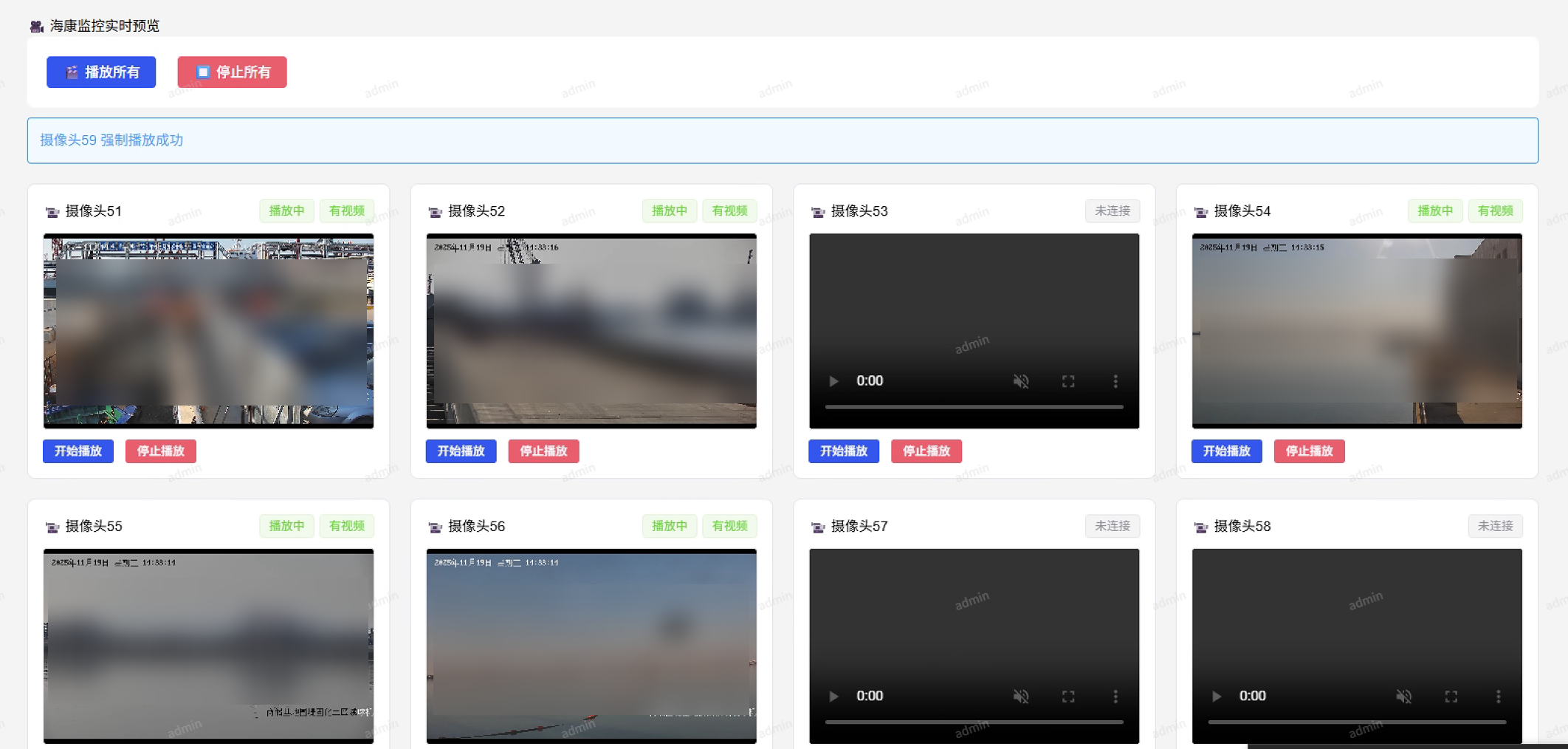
该组件最终的呈现效果如图:

火山引擎开发者社区是火山引擎打造的AI技术生态平台,聚焦Agent与大模型开发,提供豆包系列模型(图像/视频/视觉)、智能分析与会话工具,并配套评测集、动手实验室及行业案例库。社区通过技术沙龙、挑战赛等活动促进开发者成长,新用户可领50万Tokens权益,助力构建智能应用。
更多推荐
 4
4 0
0- 0


 已为社区贡献1条内容

所有评论(0)